Almost every deliverability guide you’ll find online was written for the wrong sender.
They were written for opt-in marketers, people emailing a list of subscribers who asked to hear from them, opened the last newsletter, and clicked a link or two. That sender starts every campaign with a tailwind of positive engagement. Their advice (“send great content, segment your list, watch your open rates”) works because their recipients already wanted the email.
Cold email is a different sport. Your recipients didn’t ask for your message. There’s no prior engagement for the mailbox provider to lean on. And the moment you send at any real volume, you trip the exact tripwires that get accounts suspended on Mailchimp, SendGrid, and Constant Contact. You’re playing the deliverability game on hard mode, against the same Gmail and Outlook filters but without the safety net.
This guide is the cold sender’s playbook. It covers everything that actually moves the needle when you’re sending to prospects who’ve never heard of you: authentication, domain architecture, warmup, list hygiene, content, monitoring, and the compliance lines you can’t cross. Where the rules are different for cold senders — and they often are — we’ll say so directly.
Key takeaways
- Deliverability (landing in the inbox) is not the same as delivery (not bouncing). You can have a 98% delivery rate and a 20% inbox rate at the same time.
- In 2026, authentication is the price of admission, not a competitive edge. SPF, DKIM, and DMARC are mandatory — Gmail, Yahoo, and Microsoft now reject mail that fails them.
- For cold senders, list quality is the single highest-leverage variable. A clean, well-targeted list beats every clever tactic.
- Never send cold email from your primary business domain. Use separate, authenticated sending domains you can afford to burn.
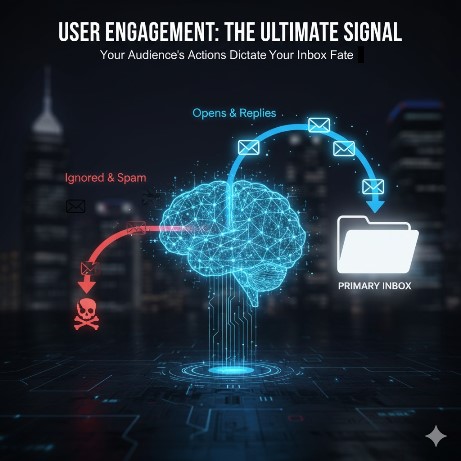
- Engagement is the modern reputation currency. Replies are worth more than opens; complaints can sink you in days.
Delivery vs. Deliverability: The Distinction That Quietly Kills Cold Campaigns
Most senders track the wrong number.
Delivery rate is the percentage of your emails that weren’t rejected outright by the receiving server. If 98 of every 100 messages were accepted, your delivery rate is 98%. Your ESP dashboard shows this number proudly, and it tells you almost nothing about whether anyone saw your email.
Deliverability — also called inbox placement — is the percentage of accepted emails that landed in the primary inbox, rather than the spam folder, the Promotions tab, or some quiet quarantine the recipient never checks.
These two numbers can diverge wildly. A campaign can post a 98% delivery rate and a 20% inbox-placement rate simultaneously: nearly every message was accepted, and four out of five still went to spam. The sender sees “98% delivered,” assumes the campaign worked, and never learns why the replies didn’t come.
For cold senders this gap is the whole ballgame. Your delivery rate will usually look fine. Inbox placement is where cold campaigns live or die, and it’s the only metric this guide is built to improve.
Why Cold Email Is a Harder Deliverability Problem
Before the tactics, it’s worth understanding why cold senders face a steeper climb. Three structural disadvantages stack against you.
1. You start with zero engagement history. Modern filters at Gmail and Outlook are overwhelmingly engagement-driven. They watch whether recipients open, reply, archive, ignore, or report your mail, and they score your domain accordingly. An opt-in marketer’s list is full of people who engage. Your cold list is full of strangers, so you have no positive signal to draw on and the filter’s default posture toward an unknown sender is skepticism.
2. Your lists are inherently riskier. Cold lists are scraped, bought, or built from public sources. That means a higher baseline rate of dead addresses, role accounts, catch-alls, and — most dangerous of all — spam traps. Every one of those degrades your reputation faster than anything an opt-in sender will ever encounter.
3. Mainstream platforms are built to stop you. This is the one most people learn the hard way. Mailchimp, Constant Contact, SendGrid, Brevo, and Mailgun all prohibit cold or non-opt-in sending in their terms of service, and they enforce it aggressively. The reason is structural: those platforms run their customers on shared IP pools, so every sender’s reputation is everyone’s reputation. One cold sender generating complaints can damage inbox placement for thousands of other customers on the same IPs. The platform’s only rational defense is to detect cold sending and suspend the account — often without warning and without a refund.
This is why purpose-built cold email infrastructure exists. A platform like BulkResponse is architected around the assumption that you’ll send to cold, non-opt-in lists — so legitimate cold outreach doesn’t trigger a ban. But “won’t get you banned” is not the same as “will land in the inbox.” No platform can authenticate your domain, warm it up, or clean your list for you. The rest of this guide is the work that’s on you.
The 2026 Inbox Rulebook: What Gmail, Yahoo & Microsoft Now Require
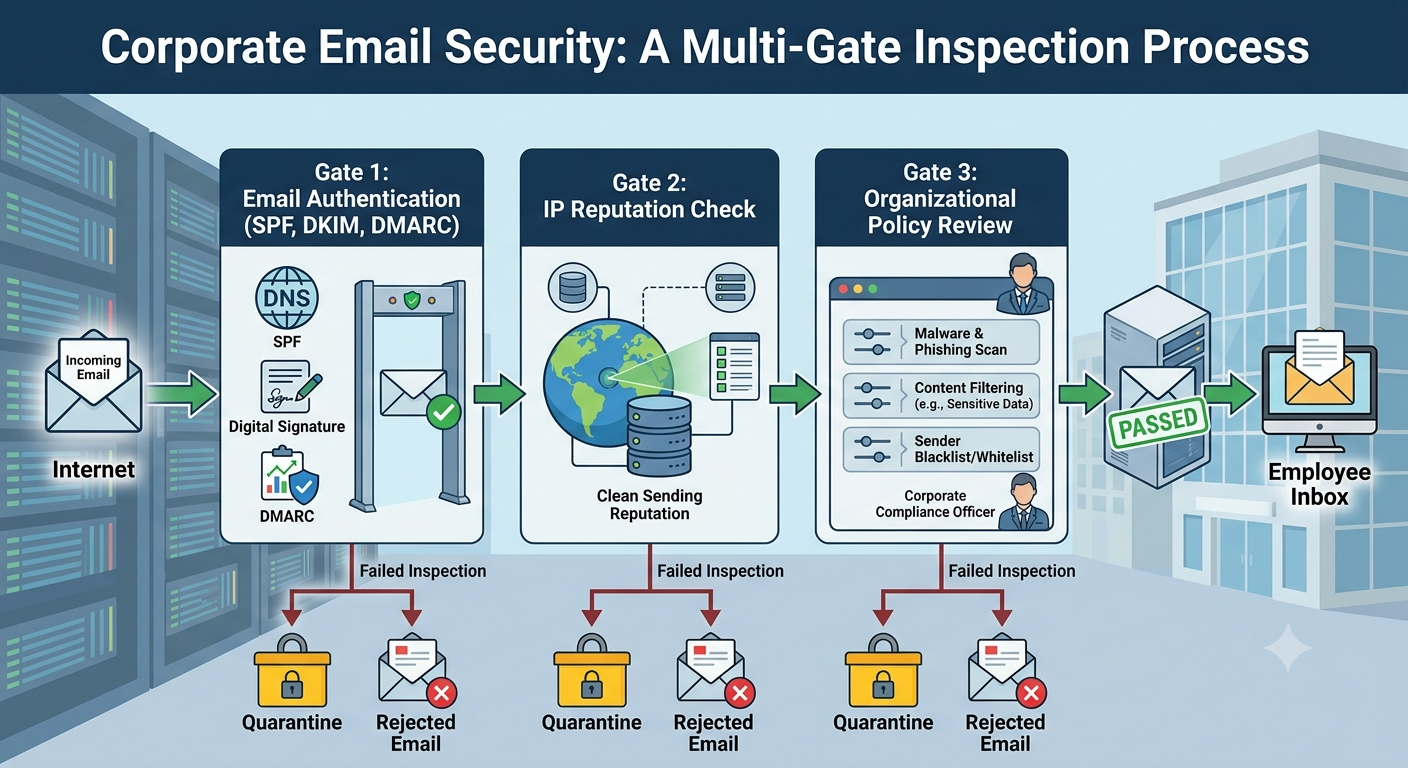
The deliverability landscape changed permanently in 2024, and tightened again through 2025. What used to be “best practice” is now an enforced gate. If you fail it, your mail doesn’t go to spam — it gets rejected at the door.
Here’s what the major mailbox providers now demand of anyone sending real volume:
Google and Yahoo began enforcing their bulk-sender requirements on February 1, 2024. Any domain sending more than 5,000 messages a day to Gmail addresses is classified as a bulk sender — and that classification is permanent, even if your volume later drops. Bulk senders must:
– Authenticate with both SPF and DKIM (not one or the other)
– Publish a DMARC record with a policy of at least p=none, aligned with SPF or DKIM
– Provide one-click unsubscribe (RFC 8058) and honor opt-outs within two days
– Keep their spam complaint rate below 0.1%, and never let it reach 0.3%
– Maintain valid PTR (reverse DNS) records and send over TLS
As of November 2025, Gmail moved from temporary throttling to permanent rejection of mail that fails these checks.
Microsoft followed with matching rules for Outlook.com, Hotmail, and Live addresses, enforced from May 5, 2025. Non-compliant mail from high-volume senders isn’t filtered to Junk — it’s rejected outright, returning the error 550 5.7.515 Access denied, sending domain does not meet the required authentication level.
The takeaway for cold senders: authentication is no longer optional, and it’s no longer a differentiator. It’s the cost of being allowed to send at all. Everything in the next section is mandatory.
SPF, DKIM & DMARC, Set Up Correctly
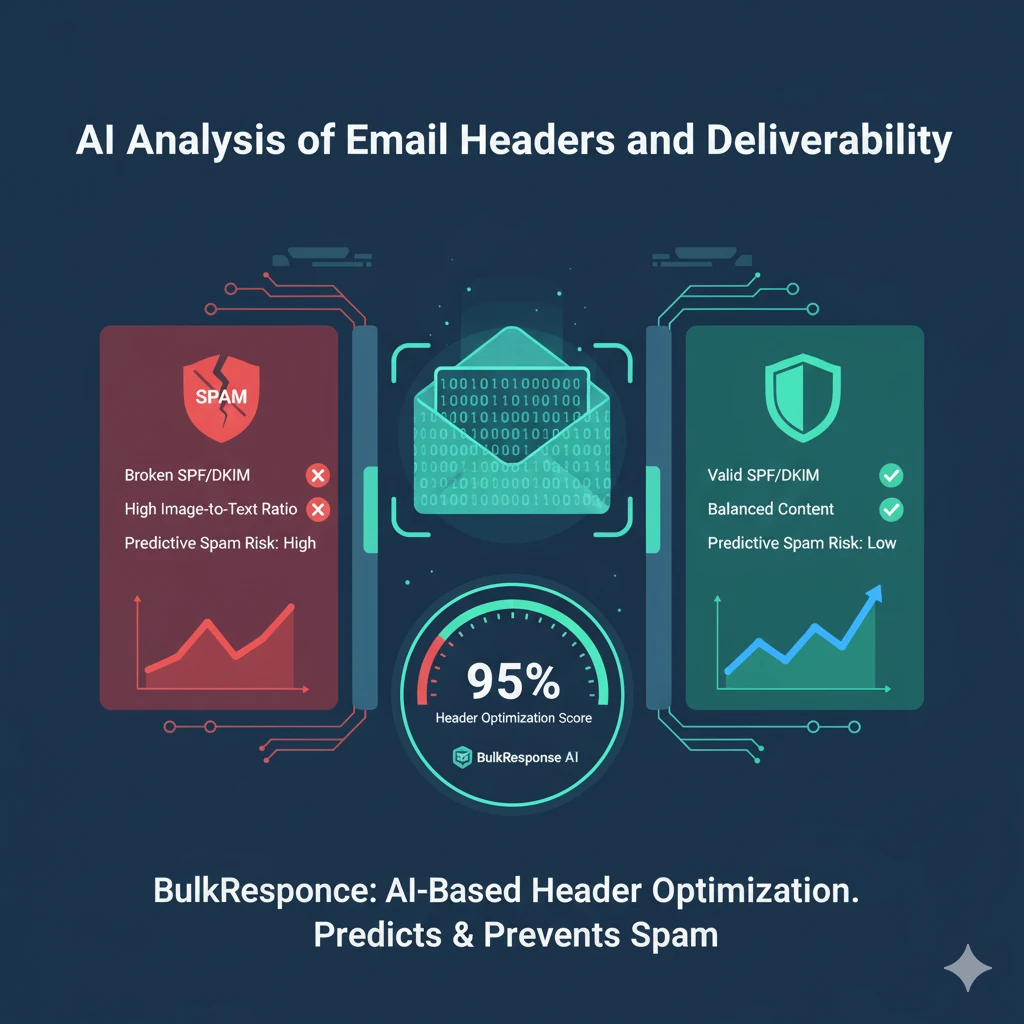
These three records work together. SPF says which servers may send for your domain. DKIM cryptographically signs each message so it can’t be altered or forged. DMARC ties the two together, tells receivers what to do when authentication fails, and reports back on who’s sending as you.
SPF (Sender Policy Framework) is a single DNS TXT record listing your authorized sending sources:
v=spf1 include:_spf.bulkresponse.com -all
Three mistakes to avoid: publishing more than one SPF record on a domain (only one is valid), exceeding the limit of 10 DNS lookups (stacking too many include: statements silently breaks SPF), and using ~all (softfail) when you should use -all (hardfail). Softfail tells receivers “this is probably unauthorized” — weaker than a firm “reject.”
DKIM (DomainKeys Identified Mail) signs every outbound message. Use a 2048-bit key — 1024-bit is the bare minimum mailbox providers will accept, and it’s increasingly treated as weak. Your sending platform supplies the DNS record; once it’s live, signing is automatic. Critically, the signing domain (d=) must align with your From address, or you’ll pass DKIM and still fail DMARC.
DMARC starts in monitoring mode so you can watch for problems before enforcing anything:
v=DMARC1; p=none; rua=mailto:[email protected]
After two to four weeks of clean aggregate reports, advance to p=quarantine, then eventually p=reject. In 2026, leaving a domain at p=none indefinitely is itself a yellow flag — providers read it as a sender who collects authentication data but never acts on it. Treat p=none as a starting line, not a destination.
Domain & Infrastructure Strategy for Cold Senders
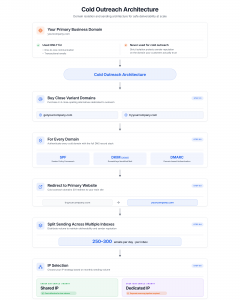
This is the section opt-in deliverability guides skip entirely, and it’s the one cold senders most need.
Never send cold email from your primary business domain. This is the cardinal rule. If your cold outreach damages a domain’s reputation — or gets it onto a blocklist — every email from that domain suffers, including the messages your sales team sends to existing customers and the password resets your app sends to users. Quarantine the risk.
The standard architecture looks like this:
- Keep your primary domain (
yourcompany.com) clean. Use it only for one-to-one business mail and transactional sending. Never run cold campaigns through it.
- Register separate sending domains for cold outreach. Buy close variants —
getyourcompany.com, tryyourcompany.com, yourcompany.io — and authenticate each one fully (SPF, DKIM, DMARC). These are domains you can afford to rotate or retire if reputation degrades.
- Set up redirects. Point each sending domain at your primary site so a curious prospect who types it in lands somewhere legitimate.
- Spread volume across multiple inboxes. Rather than blasting from one address, send a modest daily volume from each of several inboxes across your sending domains. This keeps any single mailbox under the radar and limits the blast radius if one gets flagged.
On shared vs. dedicated IPs: most cold senders should start on a reputable platform’s shared IPs. Below roughly 50,000 emails a month, you benefit from inheriting an established IP reputation you couldn’t build alone. Move to a dedicated IP only when your volume is consistently high enough (typically 100,000+ a month) to sustain its own reputation — and budget for warming it separately, because a cold dedicated IP starts with no reputation at all.
Domain Warmup: The Patience Tax You Can’t Skip
A brand-new sending domain has no reputation, and 2026’s filters scrutinize new domains harder than ever. Send 2,000 cold emails from a fresh domain on day one and you won’t just hit spam — you’ll establish a negative reputation that can take months to undo.
Warmup is the process of building reputation gradually: start with tiny volumes that earn high engagement, then increase slowly over several weeks. A conservative schedule:
| Week |
Daily volume per inbox |
Focus |
| 1 |
10–20 |
Warmup network or known-good contacts; aim for replies |
| 2 |
30–50 |
Mostly warmup, a little real cold sending |
| 3 |
75–100 |
Begin transitioning into live campaigns |
| 4 |
150–200 |
Full cold sending at conservative volume |
| 5+ |
250–300 |
Scale only if engagement metrics stay healthy |
Three rules make or break warmup:
- Replies are the goal, not opens. A reply is the strongest positive signal a mailbox provider can see. Automated warmup tools simulate replies; real conversations are better.
- Don’t stop and restart. Consistency is the entire point. Warm for two weeks, go dark for one, and you’ve reset much of your progress.
- One inbox is not a strategy. After warmup, ~250–300 sends per inbox per day is a sustainable ceiling. Higher volume means more inboxes, not more mail per inbox.
List Hygiene: The Highest-Leverage Move You’ll Make
If you take one thing from this guide, take this: for cold senders, list quality outranks every other variable. You can authenticate perfectly, warm up patiently, and write beautifully — and a dirty list will still sink you. The reverse is also true: a clean, tightly-targeted list forgives a lot of smaller mistakes.
The reason is mechanical. Sending to dead addresses spikes your bounce rate. Sending to role accounts and unengaged contacts depresses engagement. And sending to spam traps can get you blocklisted in days. All three are far more common on cold lists than on opt-in lists, so hygiene isn’t a nice-to-have — it’s load-bearing.
Validate Every List Before You Send
Run every list through a verification service — BulkResponse’s list cleaning, NeverBounce, ZeroBounce, MillionVerifier, or Bouncer — to strip out:
- Hard bounces — addresses that don’t exist
- Role accounts —
info@, support@, sales@, admin@; aggressively filtered and rarely useful
- Catch-all domains — accept everything, so you can’t verify individual mailboxes; segment these and send to them cautiously, if at all
- Disposable addresses — a sign of a low-quality source
- Known complainers — addresses on suppression databases
A raw scraped or purchased list typically loses 15–30% to validation. If your tool removes less than 10%, it’s probably too lenient — or your list is unusually clean (it usually isn’t).
[DATA PLACEHOLDER — list hygiene impact] Insert a real figure from your own platform here, e.g. “Across campaigns run on BulkResponse, lists validated before sending bounce at roughly X%, versus Y% for unvalidated lists.” This single first-party data point is what will separate this guide from every competitor’s. Pull it from your bounce logs by comparing validated vs. unvalidated jobIds.
Understand Spam Traps
Spam traps are addresses created specifically to catch senders with poor list practices. There are two kinds, and both hurt:
- Pristine traps were never owned by a real person. Hitting one means you scraped or bought a list. Hitting several can blocklist you within days.
- Recycled traps are once-real addresses that were abandoned, then reactivated as traps by the provider. Hitting them means your list is stale.
No verification service catches every trap. The only complete defense is sourcing data carefully and keeping lists fresh. (Our breakdown of why every sender needs a list cleaning service goes deeper on the cost of skipping this.)
Suppress Aggressively and Permanently
Maintain a global suppression list and apply it to every send. It should include everyone who unsubscribed (legally required), everyone who marked you as spam, every hard bounce, and anyone who’s shown zero engagement across multiple campaigns over six-plus months. On BulkResponse, bounces and complaints are suppressed automatically across all your campaigns; if you’re stitching this together manually, you need a hard process for it, because a single repeated send to a complainer is pure downside.
Writing Cold Email That Reaches the Inbox
The spam-word myth needs to die. In 2026, filters don’t keep a banned-word list — “free,” “guarantee,” and “act now” won’t sink a well-reputed sender. Modern filters are machine-learning systems trained on billions of messages, and they react to patterns and reputation, not individual words. That said, format and structure still matter, especially on a cold first touch where you have no reputation cushion.
For the first cold email in a sequence, lighter is safer:
- Write it like a human wrote it to one person. Plain, conversational text outperforms designed HTML templates for cold outreach. A message that looks like a personal note triggers fewer filters than one that looks like a marketing blast.
- Minimize links. One link is plenty for a first touch. Several links in a cold email reads as promotional to both filters and humans.
- Skip images and tracking pixels on the first touch. Both load as remote content, a mild spam signal when there’s no existing relationship. You can reintroduce light HTML, images, and tracking later in the sequence, once you’re emailing engaged recipients who’ve already replied or opened.
- No attachments, ever, in cold email. Attach things after someone replies and asks.
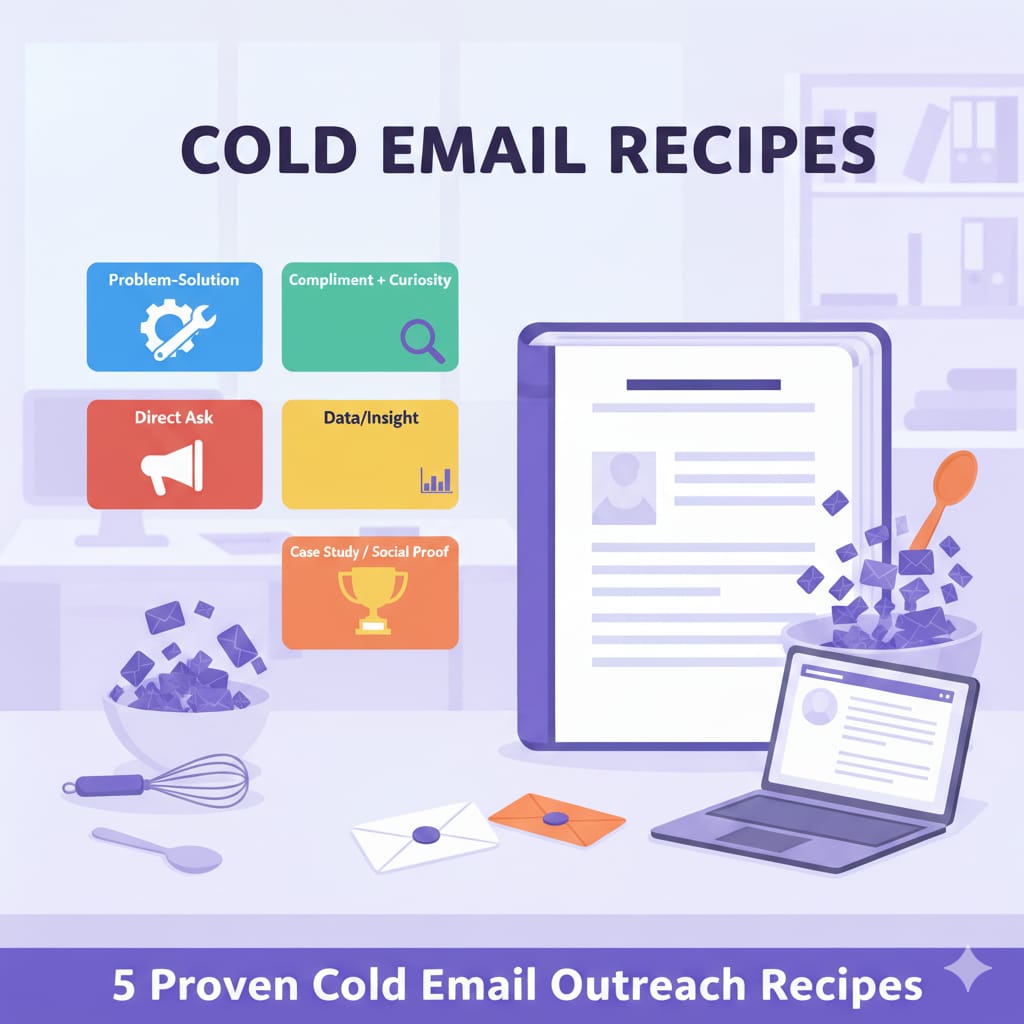
On subject lines: keep them short (under ~50 characters), specific, and free of marketing gloss. “Quick question about your hiring process” will out-deliver and out-reply “🚀 Transform Your Hiring With AI!” every time. For frameworks that consistently earn replies, see our five proven cold email outreach recipes.
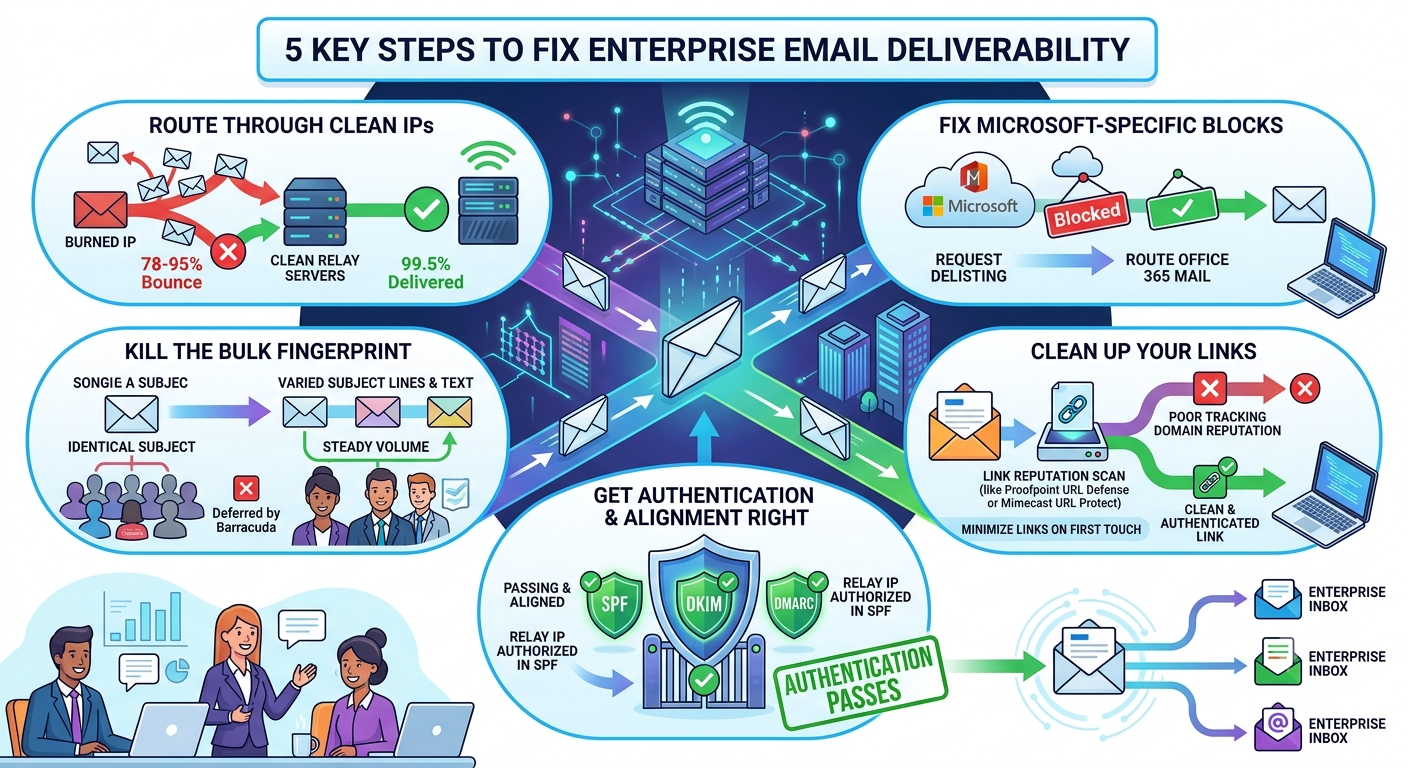
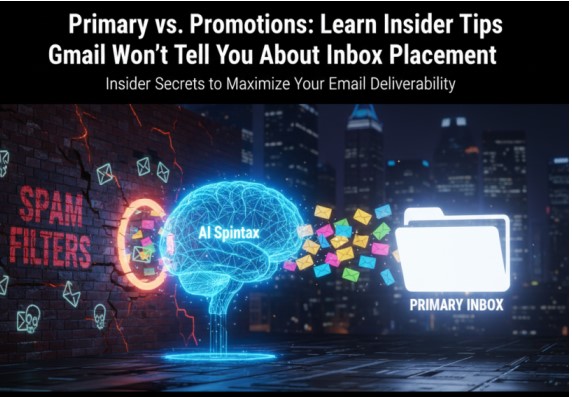
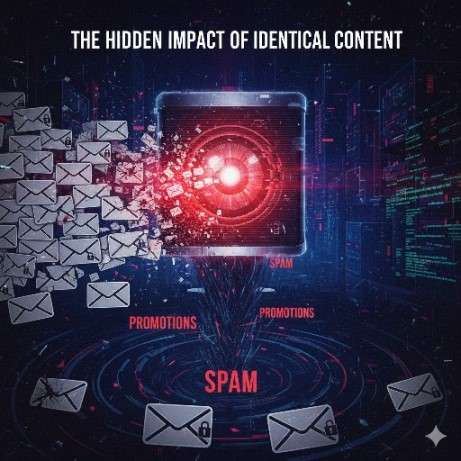
One more point cold senders get wrong: bulk-identical content is itself a deliverability risk. Sending the exact same body to thousands of recipients is a pattern filters recognize as a blast. Genuine personalization — or at minimum, meaningful variation — breaks that pattern. (Our deep dive on Primary vs. Promotions inbox placement covers exactly how Gmail treats repetitive content.)
Monitoring & Diagnostics: You Can’t Fix What You Don’t Measure
Deliverability isn’t set-and-forget. Reputation drifts, lists decay, and a blocklisting can halve your inbox rate overnight. Cold senders need a monitoring discipline.
Watch your reputation at the source. Google Postmaster Tools shows your domain reputation, spam complaint rate, and authentication status exactly as Gmail sees them — setup takes five minutes and it’s the single most useful free tool you have. Microsoft’s SNDS does the same for Outlook and Hotmail. If you’re not watching both, you’re flying blind.
Categorize your bounces — they’re a diagnostic goldmine. Not every bounce means the same thing, and parsing them tells you where the real problem is:
- Bad mailbox — address doesn’t exist. Hard bounce; suppress immediately.
- Inactive mailbox — exists but dormant. Treat as a hard bounce after one or two attempts.
- Spam-related — the receiving server rejected for reputation, content, or blocklist reasons. Investigate the root cause; this is the category that signals deliverability trouble.
- Policy-related — rejected on a domain or content rule. Often fixable.
- Quota exceeded — mailbox full. Retry later; don’t suppress.
- Greylisting — temporary deferral; the server will accept on retry.
Reading the DSN (Delivery Status Notification) fields — dsnMta, dsnStatus, dsnDiag — lets you diagnose problems down to the sending server, IP, or recipient domain, rather than guessing. If your spam-related bounces cluster on one IP or one recipient domain, that’s where to look first.
[DATA PLACEHOLDER — bounce category breakdown] Drop in a real distribution from your platform here, e.g. a one-line breakdown of bounce categories across a recent sending window. Showing readers what a healthy bounce profile actually looks like — with real numbers — is the kind of first-hand authority that wins both Google rankings and AI-search citations.
Monitor blocklists weekly. Check your sending IPs and domains against Spamhaus (SBL, XBL, DBL), Barracuda, SpamCop, and SORBS. A single major listing can gut your inbox rate, and catching it early means you can fix the cause and request delisting before the damage compounds. Re-listing happens fast if you delist without fixing the underlying problem (almost always list quality or a volume spike).
Sign up for feedback loops. FBLs from Microsoft, Yahoo, and others notify you when a recipient marks you as spam, so you can suppress that address before it does more harm.
Compliance: The Lines Cold Senders Can’t Cross
Cold email is legal in much of the world, but the rules vary sharply by jurisdiction, and they intersect with deliverability — providers watch for the same signals regulators do.
CAN-SPAM (United States) is the most permissive. Cold B2B email is allowed, provided you use accurate From/Reply-To information and a truthful subject line, include a valid physical postal address, offer a clear unsubscribe mechanism, and honor opt-outs within 10 business days.
GDPR (European Union) is stricter. Cold email to EU recipients generally requires a “legitimate interest” basis: the contact must be relevant to their professional role, and you should be able to document why you reached out. Business addresses are defensible; emailing EU citizens at personal addresses (gmail.com, yahoo.com) is far riskier.
CASL (Canada) is the strictest major regime. Cold email to Canadian recipients without prior consent is generally not permitted. If you have meaningful Canadian volume, get legal advice.
The pragmatic baseline that keeps you compliant and improves deliverability at the same time: include a real postal address, offer one-click unsubscribe, honor opt-outs immediately, and target business contacts rather than consumer addresses.
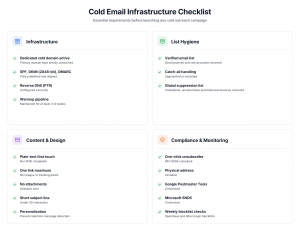
The Cold Email Deliverability Checklist:
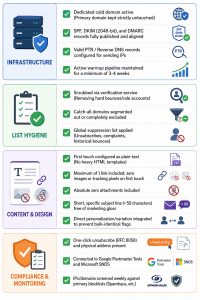
Before you launch a campaign, run this list:
Infrastructure
List
Content
Monitoring
Troubleshooting: Common Failures and Their Fixes
“My emails land in Gmail’s Promotions tab.”
Promotions isn’t spam — it’s delivered — but visibility is lower. The cause is content signals: too many links, heavy HTML, images, marketing language. Fix it by sending plain-text-style first touches with minimal links. See our Primary vs. Promotions guide for the specifics.
“My reply rate dropped suddenly.”
Three usual suspects: a reputation hit (check Postmaster Tools), a new blocklist listing (check Spamhaus and others), or a content change that started tripping filters (compare the recent campaign to an older one that worked).
“My bounce rate is climbing.”
Almost always a list-quality problem. Re-verify, segment out catch-alls, and audit your data source. Above 5% bounce, stop and clean before sending again.
“Open rates look fine but replies are flat.”
Likely Promotions-tab placement, or open-rate inflation from Apple Mail and Gmail prefetching images (which fakes opens). Trust reply rate as the truer signal.
“My domain got blocklisted.”
Stop sending immediately. Identify the list, fix the underlying cause (usually a dirty list or a volume spike), then request delisting — most offer self-service removal. Request delisting before fixing the cause and you’ll be relisted within days.
Frequently Asked Questions
How long does it take to warm up a new sending domain?
Three to four weeks to reach basic cold volume (100–200/day per inbox), and six to eight weeks to scale higher safely. Skipping warmup almost always causes spam placement that takes months to recover from.
What’s a good inbox placement rate for cold email?
Above 85% is excellent, 70–85% is solid, and below 70% means you have problems to fix. Anyone promising 95%+ across every provider is either measuring wrong or selling something.
Can I send cold email from Gmail or Google Workspace?
For light, genuinely one-to-one outreach, yes. For anything at volume, no — Workspace caps daily sending (~2,000 messages with throttling) and Google may suspend accounts doing mass cold outreach. Use dedicated cold infrastructure instead. Our ultimate guide to cold email outreach covers the full setup.
Why did Mailchimp / SendGrid / Brevo suspend my account?
Because their terms prohibit cold and non-opt-in sending, and they enforce it to protect the shared IP reputation all their customers share. It’s not a glitch — it’s the business model. Cold senders need infrastructure built for cold sending.
How many cold emails can I safely send per day?
After full warmup, about 250–300 per inbox per day. Scale by adding inboxes across multiple sending domains, not by pushing a single inbox harder.
Does email tracking hurt deliverability?
On a cold first touch, yes — slightly. Tracking pixels load as remote images, a mild spam signal with no prior relationship. Skip tracking on first touches; it’s fine on follow-ups to engaged recipients.
What’s the difference between SPF, DKIM, and DMARC?
SPF lists which servers may send for your domain. DKIM cryptographically signs each message. DMARC tells receivers what to do when SPF or DKIM fails and reports who’s sending as you. In 2026, all three are mandatory for any real sending volume.
The Bottom Line
Cold email deliverability isn’t a setup you complete once — it’s a discipline you maintain. The senders who consistently reach the inbox are the ones who authenticate properly, warm up patiently, validate every list, send relevant and human-looking mail to well-targeted people, monitor their reputation obsessively, suppress without mercy, and run it all on infrastructure built for cold sending.
Miss any one of those and you’ll fight the spam folder forever. Get them all right and cold email becomes one of the most reliable, lowest-cost channels in B2B.
For more on the habits behind consistent sending, see 7 habits of highly successful email marketers.
BulkResponse is built for senders who can’t risk account suspension. Cold lists, bulk lists, and non-opt-in outreach are supported by default — no surprise bans. Explore our cold email software, SMTP relay service, list cleaning, and pricing to get started.