

Bulk cold email service for teams that send thousands a day
Send bulk cold emails from one account. Find leads, clean them, rotate mailboxes, vary every message and follow up automatically. Cold email is a core use case here, not a policy violation. Plans from $29/month for 25,000 emails.
A bulk cold email service lets you send first-contact emails to many prospects while spreading volume across mailboxes and servers. BulkResponse does this from one account: you find or import leads, clean them, connect or buy mailboxes, vary each message with AI spin variations, send on a schedule, and follow up automatically. Cold email is allowed inside our sending policies. Plans start at $29 a month for 25,000 emails.
Six steps from raw list to replies
Each step is a screen in the same account. No exports between vendors, no extra logins.
Yes, cold email is allowed here
BulkResponse is built to send bulk mail. B2B outreach is a core use case, inside our sending policies. Single opt-in is a list setting, and the import wizard records where each list came from. That record is a trust point you can show anyone who asks.
- Single opt-in or double opt-in, set per list
- Add an unsubscribe link and your postal address to every message
- Suppression lists stop repeat mail to people who opted out, bounced or complained
You stay responsible for the law that applies to you and your recipients, such as CAN-SPAM in the US.
Stop sending the same cold email 50,000 times
Identical messages are easy for mailbox providers to spot. BulkResponse generates one to five variations of your subject, HTML body and plain-text body. You approve the ones you like, and each recipient gets one of them.
- Works on campaigns, autoresponders and inside the drag-and-drop designer
- Nothing sends until you approve the version
- Personalization tags like {first_name} and {company} stay in place
How many cold emails can one mailbox send per day?
Fewer than most people think. That is why rotation matters. Here are the caps inside BulkResponse.
| Mailbox type | Default per day | Hard cap per day | How you add it |
|---|---|---|---|
| Free Gmail | 96 | 100 | Connect with Google OAuth |
| Google Workspace | 960 | 1,000 | Connect with Google OAuth |
| Outlook (when enabled on your account) | 200 | 1,000 | Connect with Microsoft OAuth |
| Purchased from BulkResponse | Up to 2,000 | 2,000 | $3 a month each, up to 100 per order |
| Your own mailbox (SMTP) | Set by you | 3,000 | Host, port, login, test before save |
Mail only last campaign's clickers. Pause a live send in one click.
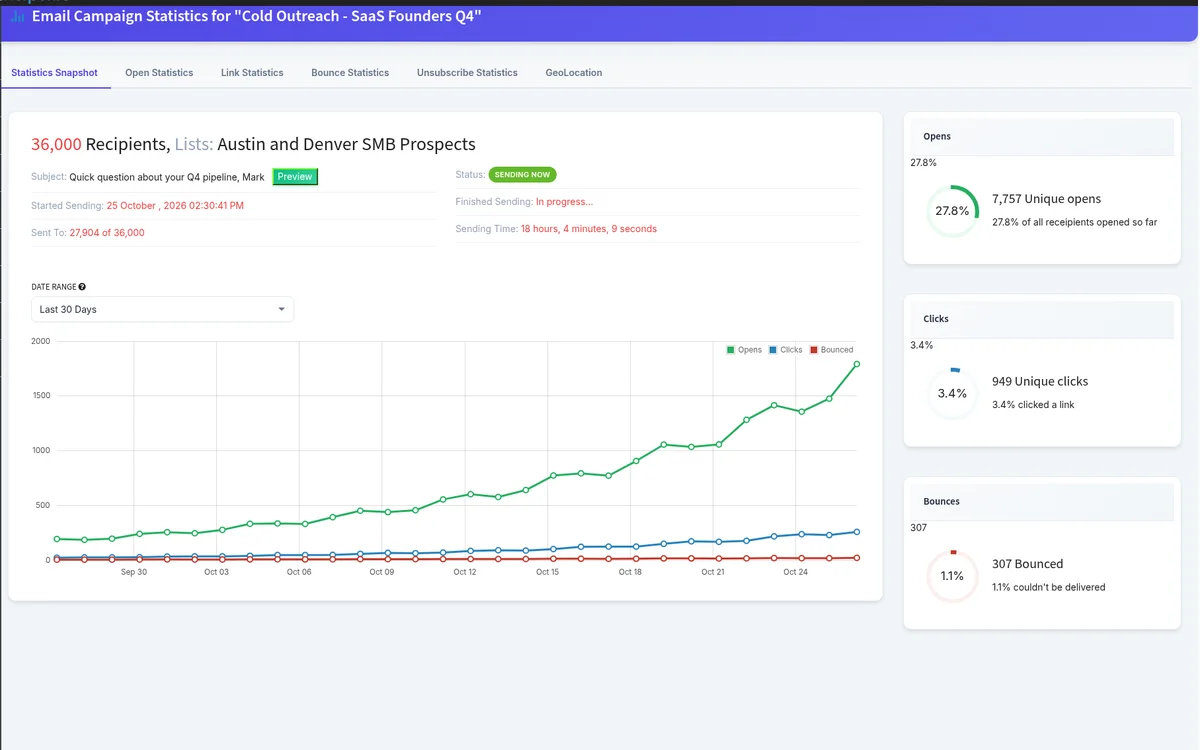
Filter any send by who clicked a specific link, who opened, who did neither, by domain, date added or confirm status. Then watch it run: sent, opens, clicks and bounces update while the job is going.
- Schedule now or for a date and time
- Pause, resume or resend from the job queue
- The job stops before it starts if your credits cannot cover it
Follow-ups that run themselves
Autoresponders send on a delay. Triggers react to what people do. Together they cover the sequences most outbound teams run.
Move your list. Import it. Mail it.
Upload a file or paste addresses, map your fields, and watch the import report. Big files take a fast path. Then rebuild lists, custom fields, forms and campaigns in the same account.
- Record how each list was obtained and when people were last contacted
- Map custom fields: text, dropdown, checkbox, number, URL, date
- New contacts can drop straight into an autoresponder
What does a bulk cold email service cost?
Public prices, month to month. The price follows the number of emails you send.
| Emails per month | Price | Per 1,000 | Google mailboxes | |
|---|---|---|---|---|
| 25,000 emails | $29/month | $1.16 | 2 | Choose |
| 50,000 emails | $49/month | $0.98 | 5 | Choose |
| 100,000 emails Best Deal | $89/month | $0.89 | 10 | Choose |
| 200,000 emails | $159/month | $0.80 | 20 | Choose |
| 500,000 emails | $299/month | $0.60 | 30 | Choose |
Add mailboxes at $3 a month each and managed servers at $20 a month each.
Real reviews from real senders
Quoted word for word from Trustpilot and Capterra, with the reviewer and date. Click through and read every review, including the critical ones.
Ratings read from each site in October 2026. Review counts are shown next to every score.