

Cold email mailboxes and SMTP: connect, buy, rotate
Connect Gmail and Outlook in a click, buy pre-warmed mailboxes at $3 a month, or add any SMTP server. Then rotate one campaign across all of them, with the right speed on each and the From address always matching the mailbox that sent it.
BulkResponse can send a campaign three ways: through our own infrastructure, through SMTP servers you own or buy, or through real mailboxes. You can connect Gmail and Outlook with OAuth, buy mailboxes from us for $3 a month each, or add any mailbox with SMTP. One campaign can rotate across many of them, and the From address always matches the mailbox that sent.
Three ways mail can leave your account
Your account has a default. Each campaign can override it. One send uses one channel type, rotated across as many connections as you select.
How many emails can each mailbox send per day?
Plan your rotation with real numbers before you buy a single inbox.
| Mailbox type | Default per day | Hard cap per day | How you add it |
|---|---|---|---|
| Free Gmail | 96 | 100 | Connect with Google OAuth |
| Google Workspace | 960 | 1,000 | Connect with Google OAuth |
| Outlook (when enabled on your account) | 200 | 1,000 | Connect with Microsoft OAuth |
| Purchased from BulkResponse | Up to 2,000 | 2,000 | $3 a month each, up to 100 per order |
| Your own mailbox (SMTP) | Set by you | 3,000 | Host, port, login, test before save |
Connect Gmail or Outlook in a few clicks
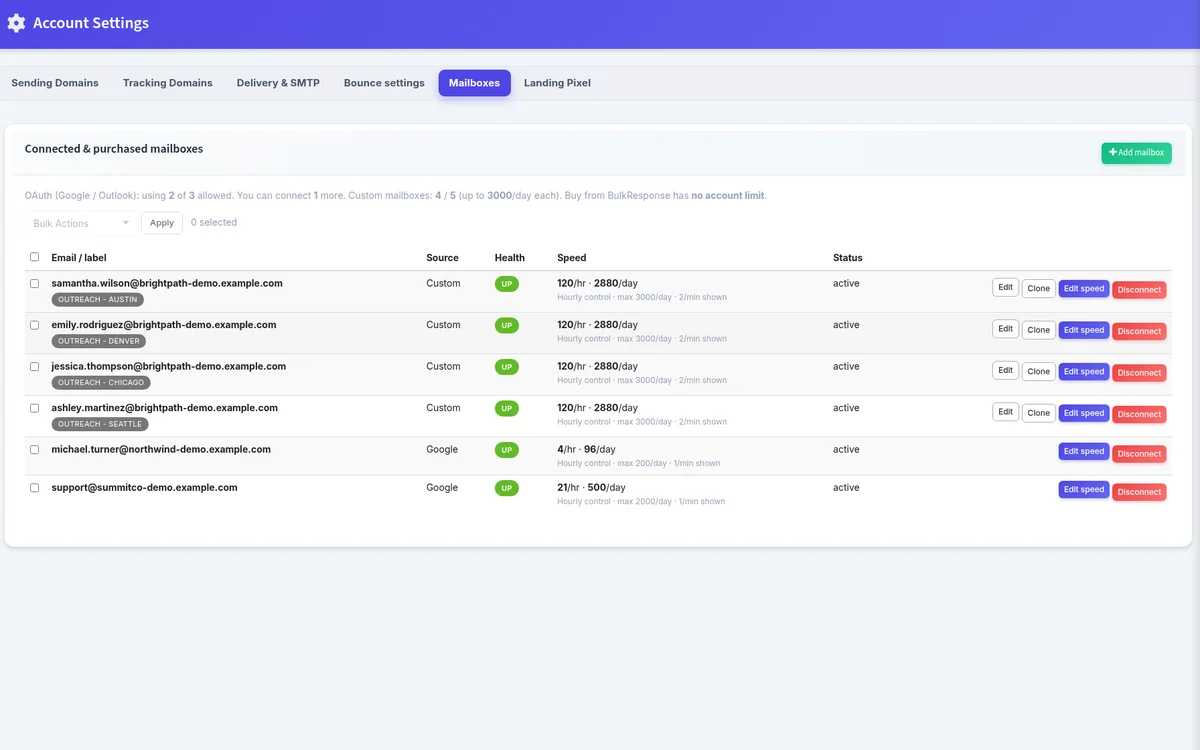
Set the From name, click connect, approve access with Google or Microsoft, done. BulkResponse never sees your password.
- Up or Down status on every mailbox
- Speed per minute, per hour or per day, with bulk speed changes
- Disconnect one mailbox or many at once
Connected Google and Outlook mailboxes count against your account slot limit. Purchased mailboxes do not.
Need more inboxes? Buy them for $3 a month.
Order up to 100 mailboxes at a time on pre-warmed domains, ready for incoming and outgoing mail. Each one sends up to 2,000 emails a day. Our team finishes setup and they show up in your account, typically within 24 hours.
- Domain included, no separate domain fee
- Up to 2,000 emails a day per mailbox
- No warmup calendar to babysit, and we do not pretend there is one
How mailbox and SMTP rotation works
Pick several mailboxes, or several SMTP servers, on one campaign. Sends rotate across them in parallel, each connection respects its own speed, and a failing SMTP connection past the threshold pauses the send with an error you can see.
- From follows each mailbox, or use each mailbox's own From name
- Each SMTP server keeps its own From email
- Selected connections send in parallel
Bring any other mailbox or SMTP server
Type the domain and BulkResponse looks up the mail hosts. Add the login, test SMTP before you save, and optionally connect POP or IMAP for incoming mail.
- Hard ceiling of 3,000 a day on a custom mailbox
- Clone a connection to add the next one faster
- Default speeds of 20 a minute, 200 an hour and 1,000 a day until you change them